Engineering has become absurdly fast.
I’ve been in software long enough to see the shift:
- Years ago, speed was limited by typing and manual refactoring.
- Copilot accelerated boilerplate, but architecture and reasoning were still manual.
- Today, local LLMs and agents can scaffold and refactor entire apps in days, not weeks.
Here’s how I’ve been running things locally, why quantization matters and how I combine speed and precision.
Using LM Studio I run multiple models Locally.
I’ve tested models:
Reason why I picked QWEN3 is simple:
LM Studio showing them as latest (updated) model which has “staff pick” flag.
Please don’t blame me, I’m still new to having local LLMs.
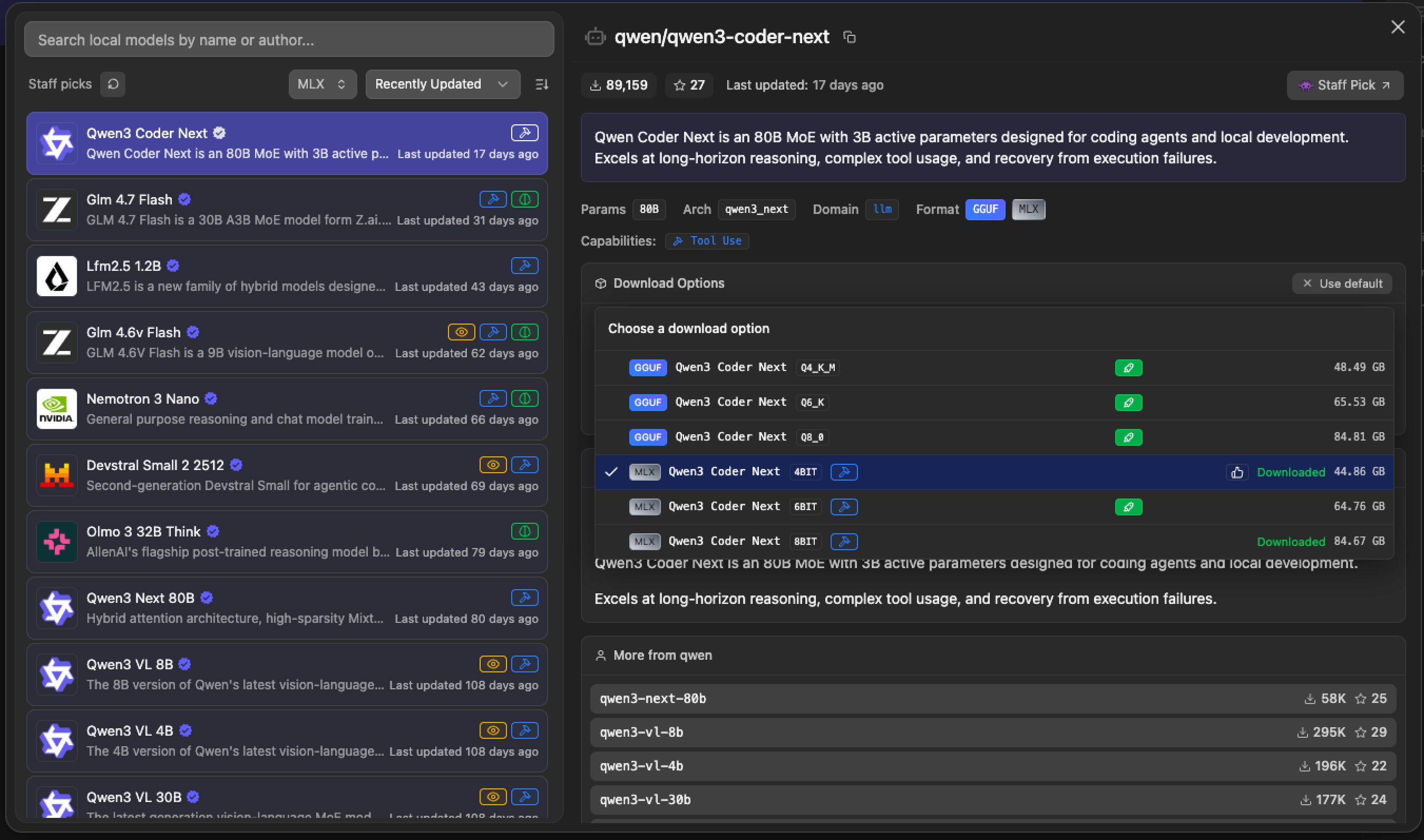
Before working with Claude Code need to download models in LM Studio and run server
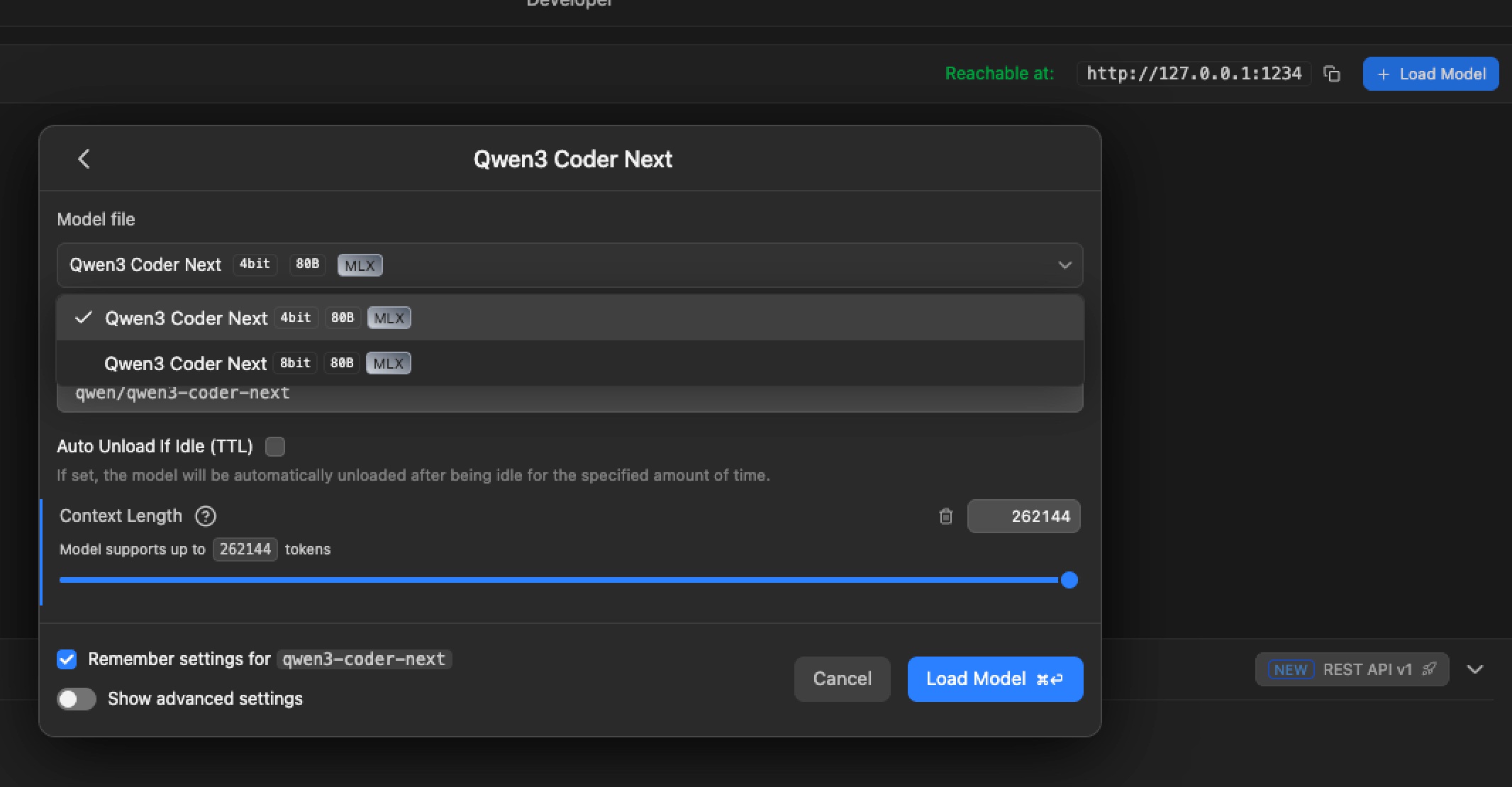
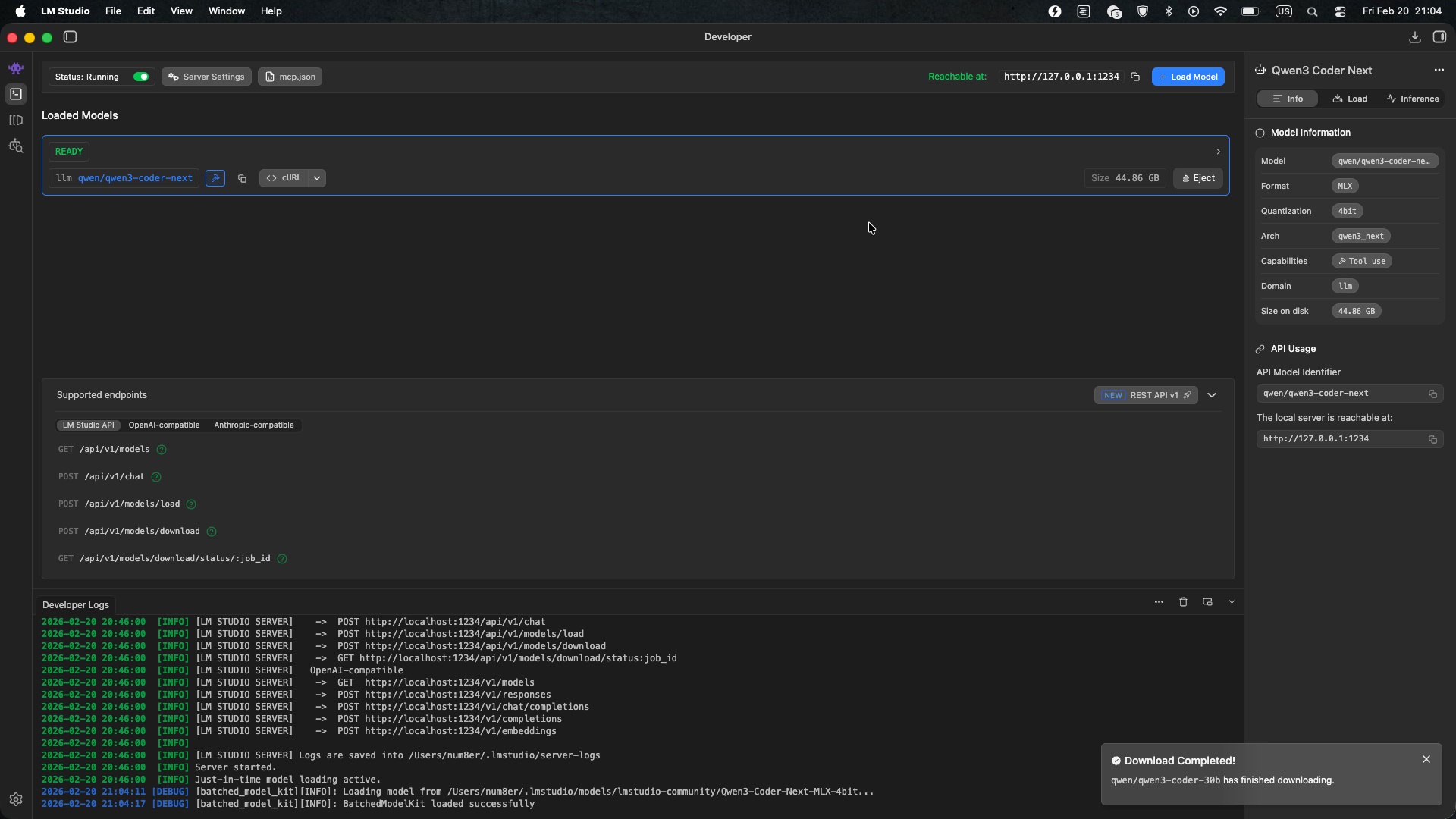
Setting Up Claude Code to Use LM Studio
Claude Code can query a local LM Studio server. I set it up using environment variables:
# Point Claude Code to local LM Studio
export ANTHROPIC_BASE_URL=http://localhost:1234

# LM Studio authentication token
export ANTHROPIC_AUTH_TOKEN=lmstudio
I heavily use direnv tool which helps me keep env vars per project folder by having .envrc files at root of project.
So when I cd into project - these env vars are applied.
┌[num8er☮g8way1]-(~)
└> cd ~/Work/Something
direnv: loading ~/Work/Something/.envrc
direnv: export +ANTHROPIC_AUTH_TOKEN +ANTHROPIC_BASE_URL

┌[num8er☮g8way1]-(~/Work/Something)
└> cat .envrc
export ANTHROPIC_BASE_URL=http://localhost:1234
export ANTHROPIC_AUTH_TOKEN=lmstudio
now let’s launch Claude Code with our model:
claude --model qwen/qwen3-coder-next
Reference: https://lmstudio.ai/docs/integrations/claude-code
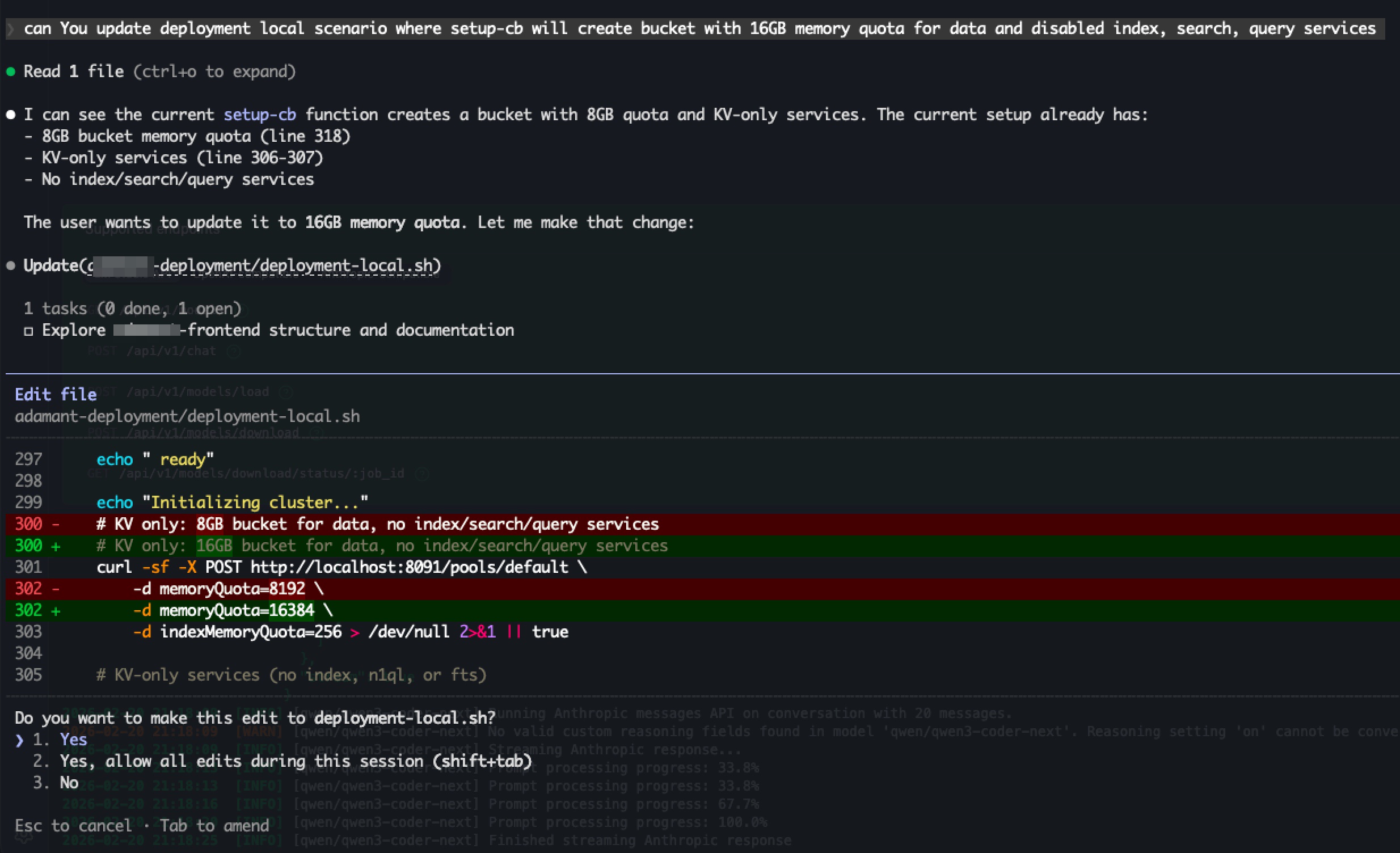
As result You’ll see such screen:
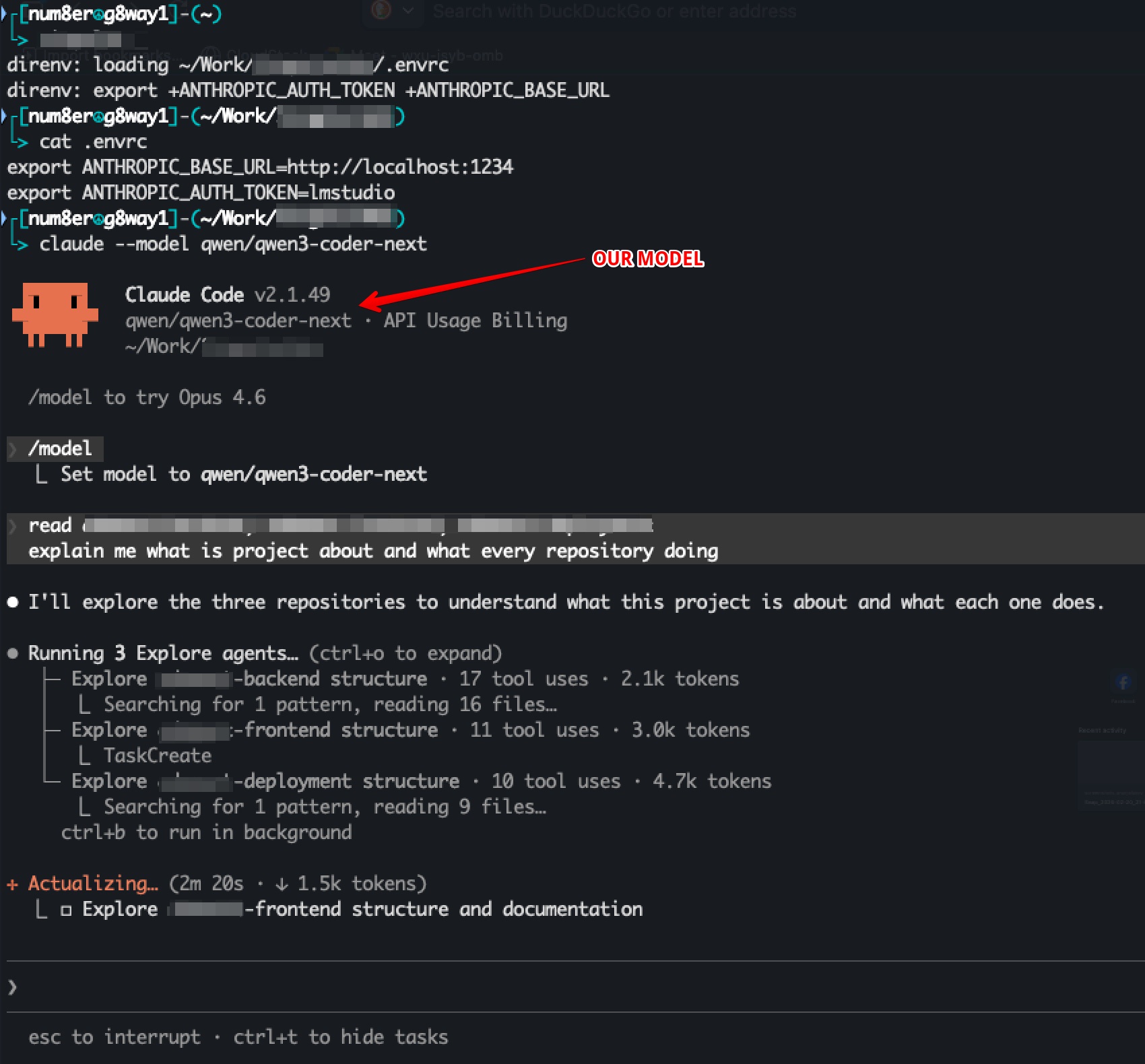
In screenshot I’ve typed prompt which makes model to read my project and give some information.
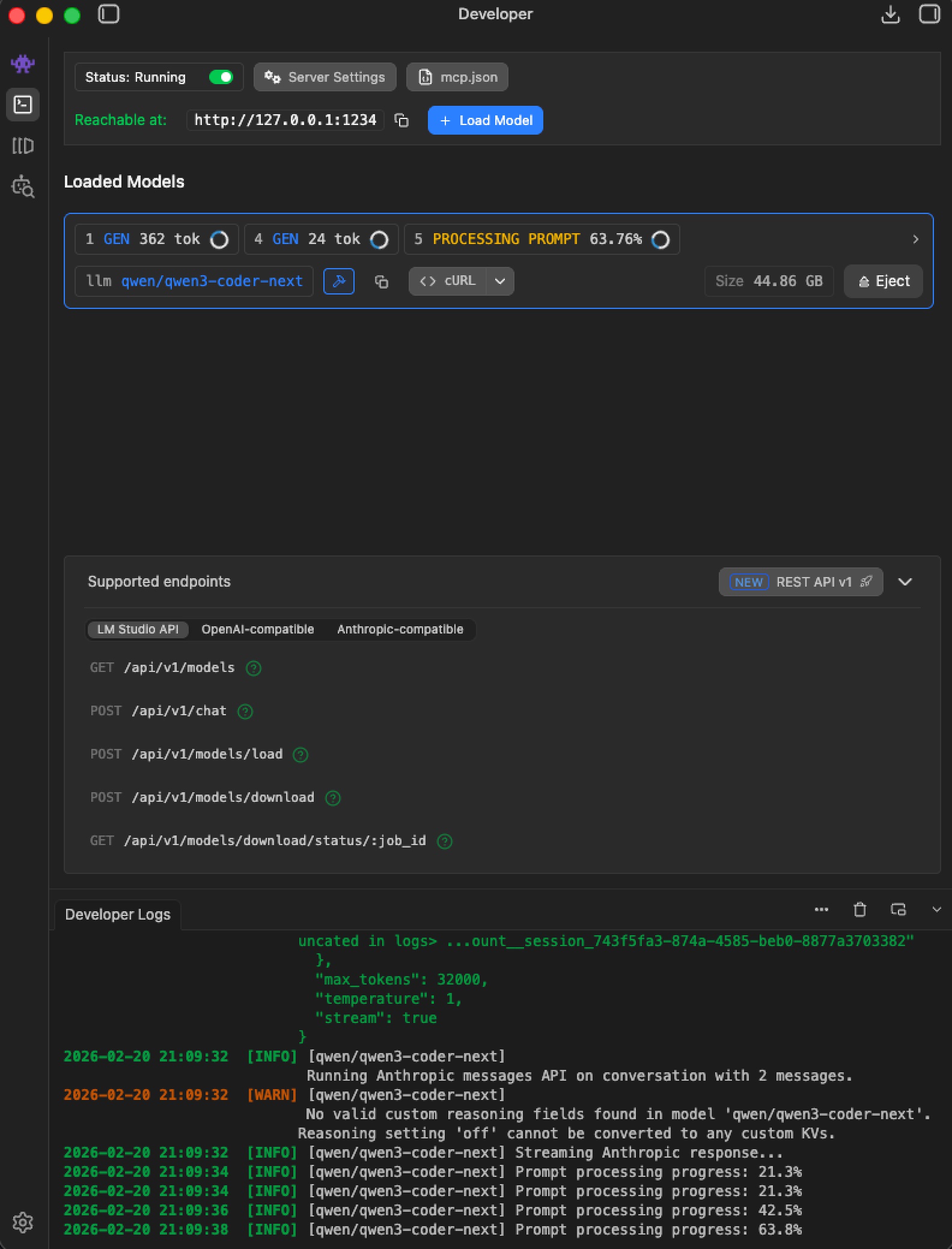
While Claude Code was requesting our LM Studio with our prompt we can see such screen which proves that we are successfully started to use our local LLM model.
Nice!
We are good to go!
Quantization: 4-bit vs 8-bit
4-bit models:
- Faster token generation
- Lower memory usage
- Good for scaffolding, code exploration, iterative edits, drafting
8-bit 80B model:
- Slower and heavier on RAM
- More precise, generates cleaner changes
But! (:
Even though 80B 8-bit is slower than 4-bit, it’s still much faster than opening an IDE, searching for place to fix and etc stuff
So - there’s always a WIN.
Let’s conclude!
Precision comes from careful 8-bit or bigger models when editing high-risk code.
With the right stack, local deployment, and quantization strategy, building complex applications becomes faster, more private, and resilient — even without internet.
In Ukraine, internet and electricity outages are real.
Local inference isn’t optional — it’s resilience.
That’s why I decided to make local LLMs run in my laptop.
I hope my post is helpful for beginners (as me) to LLM world.
P.S. The result I’ve come made me ask ChatGPT to draw me my relationship with AI.